
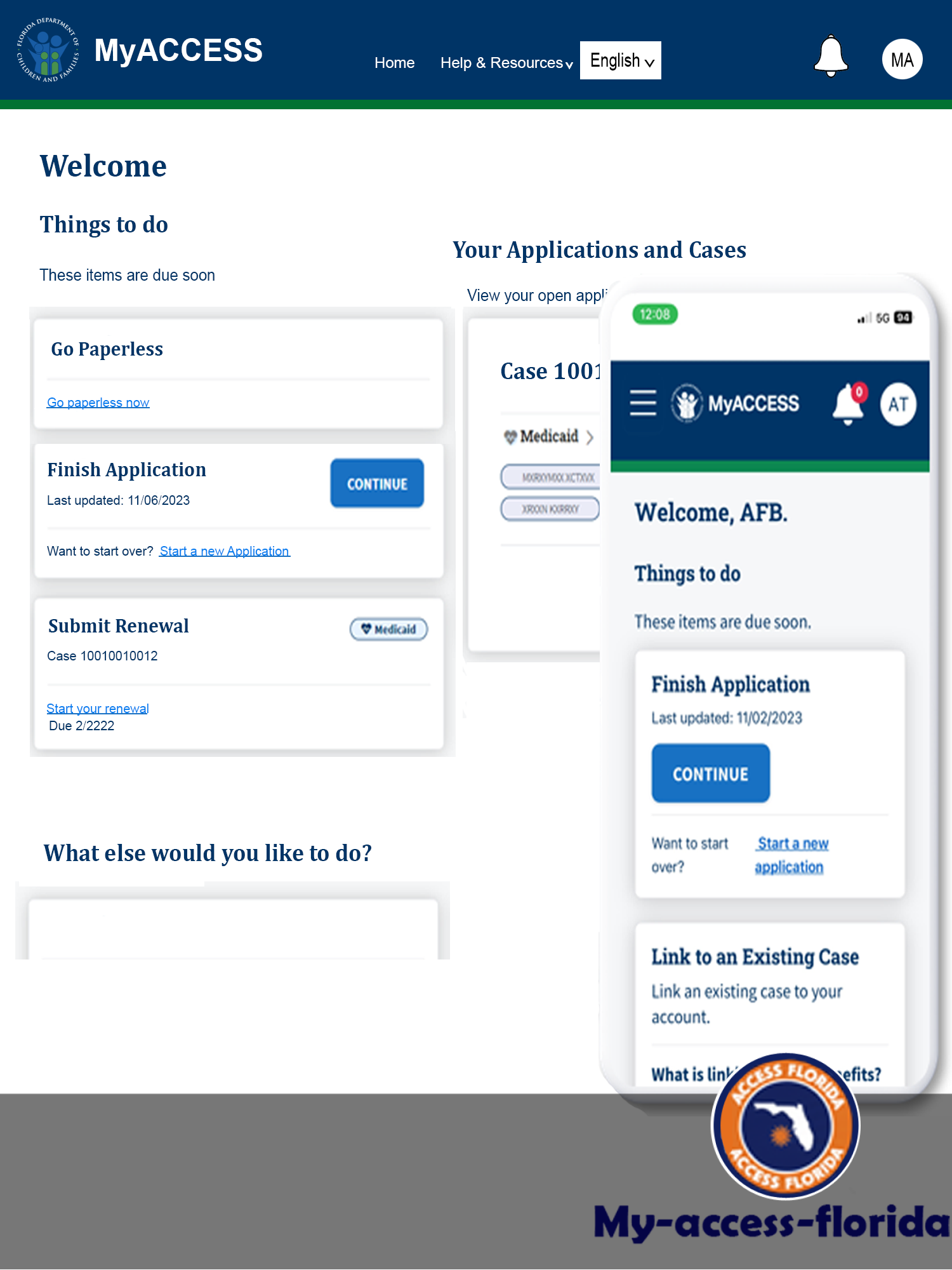
In this blog post, we’ll guide you through the process of navigating the My ACCESS Florida dashboard for beginners, helping you quickly and efficiently access the information you need.
Introduction to My ACCESS Florida Dashboard
My ACCESS Florida Dashboard is a convenient online platform designed to help individuals and families in Florida apply for and manage their public assistance benefits. By creating an account on My ACCESS Florida, users can access a range of services related to benefits such as food assistance, cash assistance, and Medicaid. This dashboard offers a user-friendly interface that streamlines the application process and provides easy access to important information.
1. Benefits of My ACCESS Florida
My ACCESS Florida provides a centralized location for individuals to apply for benefits, check the status of their applications, and report changes in their circumstances. Users can also upload required documents, receive notifications about their benefits, and communicate with their caseworkers through secure messaging. This platform aims to simplify the process of applying for and managing benefits, ultimately improving access to essential assistance programs for those in need.

Creating an Account on My ACCESS Florida
Creating an account on My ACCESS Florida is the first step to accessing benefits and services provided by the program. To get started, visit the official website and look for the Create Account option. You will be asked to provide personal information such as your name, address, contact details, and Social Security number. It is important to ensure that all information provided is accurate and up to date to avoid any delays in the application process.
Steps to Create an Account:
1. Click on the Create Account button on the homepage.
2. Enter your personal information as prompted.
3. Choose a username and password for your account.
4. Set up security questions for added account protection.
5. Review and submit your account details for verification.
Accessing Benefits through My ACCESS Florida
Accessing Benefits through My ACCESS Florida allows users to conveniently manage and monitor their benefits online. To begin, log in to your account using your username and password. Once logged in, you will have access to a range of features to help you navigate your benefits smoothly.
Checking Benefit Status
One of the key features of My ACCESS Florida is the ability to check your benefit status in real-time. This allows you to stay informed about when your benefits will be available, ensuring you can plan your expenses accordingly.
Reviewing Benefit History
By reviewing your benefit history on the platform, you can track past payments and transactions. This feature is useful for budgeting and understanding how your benefits have been utilized over time.
Understanding Eligibility Criteria
Overview of Eligibility Criteria
Understanding the **eligibility criteria** is essential to determine if you qualify for benefits through My ACCESS Florida. The criteria may vary depending on the type of assistance you are seeking, such as **food assistance**, **cash assistance**, or **Medicaid**. It is important to review the specific requirements and guidelines to ensure you meet the necessary qualifications.
Income Requirements
One of the key factors in determining eligibility for benefits is **income**. Different programs have specific income limits that applicants must meet to qualify for assistance. It is crucial to accurately report your income and provide any necessary documentation to support your application. Understanding how income is calculated and what sources are considered can help you determine your eligibility status.

Troubleshooting Common Issues on My ACCESS Florida
Overview
When using My ACCESS Florida, it’s common to encounter issues that may hinder your experience. This section aims to guide you through troubleshooting these common problems to ensure smooth navigation and access to your benefits.
Forgot Password
If you’ve forgotten your password for My ACCESS Florida, you can easily reset it by clicking on the Forgot Password link on the login page. Follow the instructions provided to set a new password and regain access to your account.
Technical Glitches
Occasionally, technical glitches may occur while using My ACCESS Florida, causing pages to load slowly or functions to not work correctly. In such cases, try clearing your browser’s cache and cookies, or switch to a different browser for better performance.
Exploring Additional Features on My ACCESS Florida Dashboard
My ACCESS Florida Dashboard offers a variety of additional features to enhance your user experience and help you manage your benefits more efficiently. These features are designed to provide you with convenient tools and resources to access important information and perform necessary tasks related to your benefits. By exploring these additional features, you can take full advantage of the platform and make the most out of your experience.
1. Notifications
Stay informed about important updates and changes regarding your benefits with the Notifications feature. Receive alerts about upcoming deadlines, policy changes, and other relevant information directly on your dashboard. This feature helps you stay proactive and ensures that you are always up to date with any developments that may impact your benefits.
2. Document Upload
The Document Upload feature allows you to securely submit necessary documents and verification materials directly through the platform. This streamlines the process of providing required information and eliminates the need for physical paperwork. By utilizing this feature, you can easily submit documents, track their status, and ensure that your benefits remain uninterrupted.
Resources for Further Assistance
Resources for Further Assistance provides valuable information on where to seek help and guidance with any issues or questions related to the My ACCESS Florida dashboard. Whether you need help navigating the system, understanding eligibility requirements, or troubleshooting technical issues, these resources are here to support you.
1. Customer Support Hotline
If you encounter any difficulties while using the My ACCESS Florida dashboard, do not hesitate to contact the customer support hotline. Trained representatives are available to assist you with any questions or concerns you may have regarding your benefits, account, or the application process.
2. Online Help Center
The online help center is a valuable resource for finding answers to commonly asked questions, step-by-step guides, and video tutorials on how to use the My ACCESS Florida dashboard effectively. You can access a wealth of information to help you navigate the system with ease.