
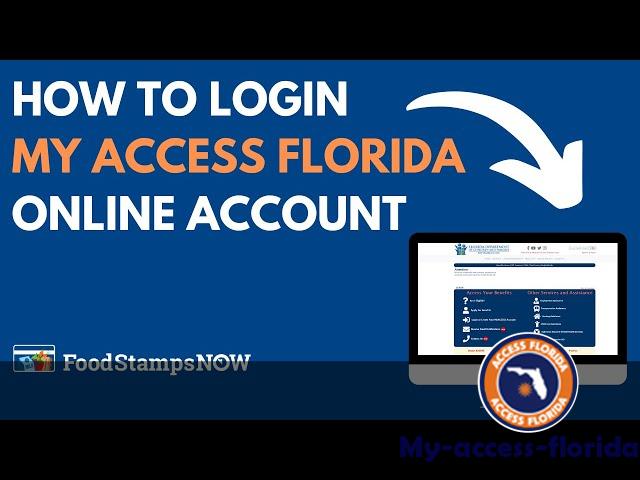
In this step-by-step guide, we will walk you through the process of creating your My ACCESS Florida account, ensuring you can easily navigate the system and access the resources you need.
My ACCESS Florida Account
Introduction to My ACCESS Florida Account
My ACCESS Florida is an online platform designed to help residents of Florida access and manage their benefits and services provided by the Florida Department of Children and Families. By creating a My ACCESS Florida account, users can conveniently apply for benefits, check the status of their applications, and update their information from anywhere at any time.
Benefits of Having a My ACCESS Florida Account
Having a My ACCESS Florida account offers numerous benefits, including faster access to benefits, the ability to track application statuses in real-time, and the convenience of managing benefits online without the need to visit a physical office. Users can also receive important notifications and updates regarding their benefits directly through their account, ensuring they stay informed and up-to-date.

Creating a My ACCESS Florida account can provide you with numerous benefits and conveniences. By having an account, you can easily apply for and manage various Florida benefits, such as Snap, TANF, and Medicaid, all in one place. This centralized platform allows you to access important information about your benefits anytime, anywhere, eliminating the need to visit physical offices or make phone calls.
Furthermore, having a My ACCESS Florida account gives you the ability to view your benefit details, check the status of your applications, report changes in your circumstances, and upload required documents securely. It also offers features like reminders and notifications to help you stay informed about important updates related to your benefits. Overall, creating an account can streamline the process of managing your Florida benefits and ensure you have easy access to the assistance you need.
Step 1: Accessing the My ACCESS Florida Website
Accessing the My ACCESS Florida website is the first step towards managing your benefits online. To begin, open your preferred web browser and type in the URL for the My ACCESS Florida website. Once on the homepage, you will be prompted to enter your login credentials or create a new account if you don’t have one yet. This website serves as a centralized platform for individuals and families in Florida to apply for and manage various state benefits, such as food assistance and Medicaid.
Creating a new account
If you are a new user, creating a My ACCESS Florida account is simple and straightforward. Click on the Create Account or Sign Up button on the homepage and follow the on-screen instructions to provide your personal information, contact details, and create a secure password. Make sure to verify your email address to complete the registration process successfully.
Step 2: Registering for a My ACCESS Florida Account
Registering for a My ACCESS Florida account is a simple process that allows you to access a variety of services online. To get started, visit the My ACCESS Florida website and click on the Create My Account button. You will be prompted to provide personal information such as your name, address, and social security number. It is important to double-check all the information you enter to ensure accuracy.
1. Personal Information
When registering for your My ACCESS Florida account, you will need to provide accurate personal information to verify your identity. This includes details such as your full name, date of birth, social security number, and contact information. Make sure to enter this information correctly to avoid any issues with accessing your account in the future.
2. Account Security
During the registration process, you will be asked to create a username and password for your My ACCESS Florida account. It is important to choose a strong password that includes a combination of letters, numbers, and special characters to enhance the security of your account. Remember to keep your login credentials confidential and avoid sharing them with others.

Step 3: Logging in to Your My ACCESS Florida Account
Logging in for the First Time
When logging in to your My ACCESS Florida account for the first time, you will need to enter your username and password that you created during the registration process. Make sure to carefully type in your credentials to avoid any login errors. Once logged in, you will have access to all the features and benefits of your account, such as checking your benefits status and updating your personal information.
Resetting Your Password
If you forget your password for your My ACCESS Florida account, you can easily reset it by clicking on the Forgot Password link on the login page. Follow the instructions provided to reset your password securely. Make sure to choose a strong password that includes a mix of letters, numbers, and special characters to enhance the security of your account.
Managing Your My ACCESS Florida Account Settings
Managing Your My ACCESS Florida Account Settings allows you to customize your account to suit your needs and preferences. By accessing the settings section, you can update personal information, contact details, and notification preferences. You can also manage your account security settings, such as changing your password or setting up two-factor authentication for added security.
Updating Personal Information
Within the settings of your My ACCESS Florida account, you can easily update your personal information, such as address, phone number, and email. Keeping this information current ensures that you receive important notifications and updates regarding your benefits without any delays.
Managing Notification Preferences
Customize how you receive notifications from your My ACCESS Florida account by adjusting your notification preferences. You can choose to receive alerts via email, text message, or through the mobile app. Setting up notifications ensures that you stay informed about any changes or updates related to your benefits.
Troubleshooting Common Issues with My ACCESS Florida Account
Forgot Password
If you have forgotten your password for your My ACCESS Florida account, you can easily reset it by clicking on the Forgot Password link on the login page. Follow the instructions provided to reset your password and regain access to your account. Make sure to create a strong and secure password to protect your personal information.
Account Locked
In case your My ACCESS Florida account is locked due to multiple failed login attempts, you can unlock it by contacting the customer support team. Provide the necessary information to verify your identity and they will assist you in unlocking your account. Remember to keep your login credentials confidential and avoid sharing them with anyone to prevent unauthorized access.