
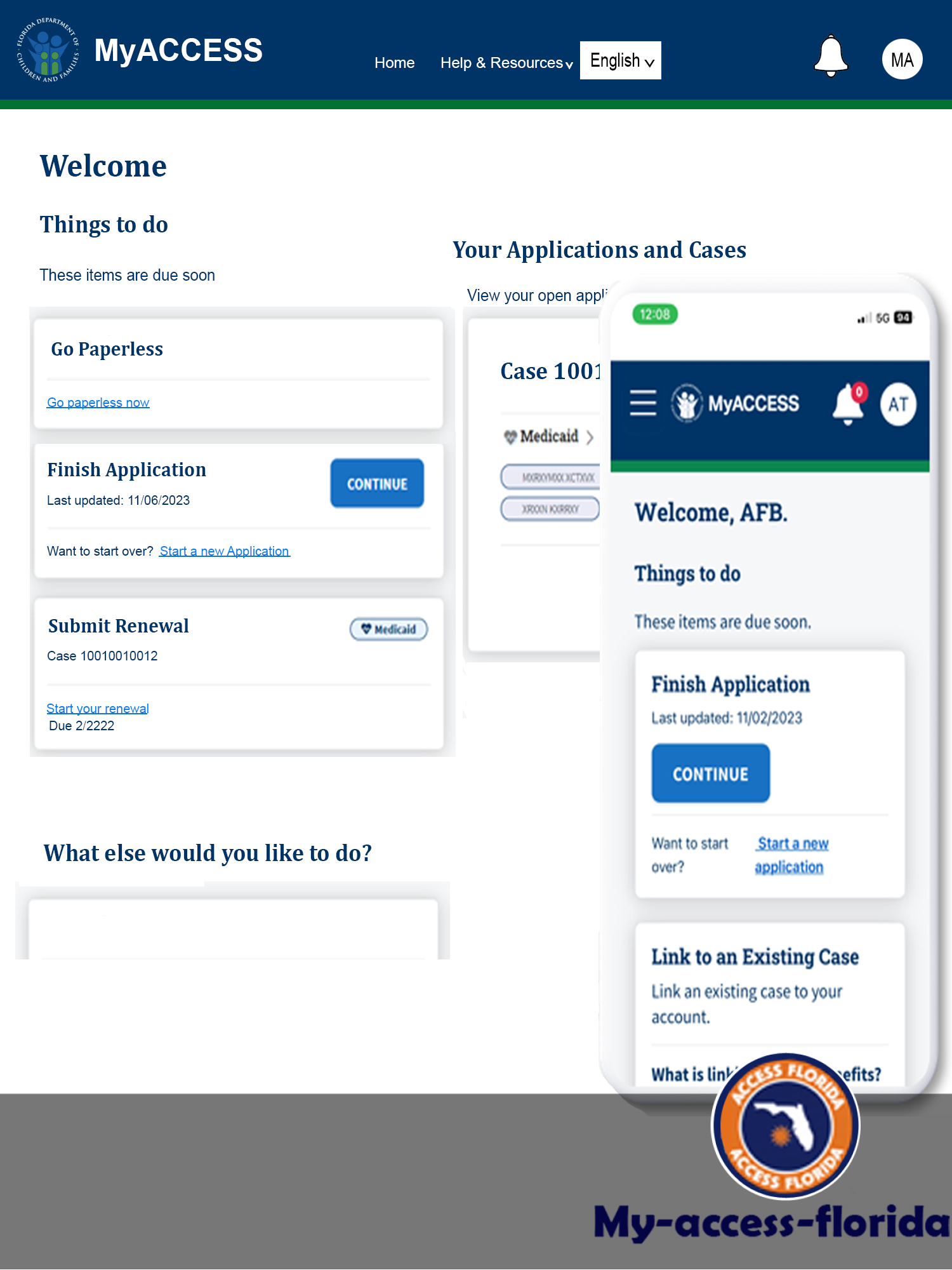
Accessing Florida benefits through the ACCESS Florida system is an important lifeline for many individuals and families. However, encountering system issues can be frustrating. In this guide, we will show you how to easily check the system status to stay informed and up-to-date on any potential outages or problems. Let’s ensure you can access the assistance you need when you need it.
ACCESS Florida System
ACCESS Florida System is an online portal that provides Floridians with access to various social service programs and benefits. It offers a convenient way for individuals and families to apply for assistance, submit documents, and check the status of their applications.
Application Process
When applying for benefits through the ACCESS Florida System, users need to create an account and provide detailed information about their household, income, and expenses. It is important to ensure that all information is accurate and up to date to avoid delays in the application process.
Document Submission
Once the application is submitted, users may be required to upload supporting documents to verify their eligibility for benefits. These documents can include pay stubs, identification cards, and proof of residency. It is essential to follow the guidelines provided by the system to prevent any issues with document submission.
Common Issues with ACCESS Florida System
Overview
The ACCESS Florida System, a platform designed to provide Floridians with access to social services, may encounter various common issues that users may experience. These issues can range from technical glitches to user errors, leading to frustration and delays in accessing the necessary support.
Common Issues
Some of the common issues users may encounter with the ACCESS Florida System include login problems, system errors, slow processing times, and difficulty navigating the interface. These issues can hinder users from applying for benefits, updating information, or accessing important resources in a timely manner.
Section 3: Troubleshooting Steps for ACCESS Florida System
Troubleshooting Steps Overview: When encountering issues with the ACCESS Florida System, it’s important to follow a systematic approach to identify and resolve the problem efficiently. Here are some key steps to troubleshoot common issues:
1. Check Internet Connection
Ensure that your device is connected to a stable internet connection. Slow or disrupted internet may lead to issues accessing the ACCESS Florida System.
2. Clear Browser Cache and Cookies
Clearing your browser’s cache and cookies can help resolve loading or display issues on the ACCESS Florida website. This step can refresh your browser’s data and improve performance.
3. Verify Login Credentials
Double-check that you are entering the correct username and password. Incorrect login credentials are a common reason for login failures on the ACCESS Florida System. If needed, reset your password following the system’s guidelines.
How to Check Status of ACCESS Florida System
Overview
The **status** of the ACCESS Florida System can impact users’ ability to access important services. Checking the system’s status allows users to stay informed about any potential disruptions or maintenance activities that may affect their access to benefits.
Checking Online
To check the **status** of the ACCESS Florida System online, users can visit the official website and look for a dedicated section or **service status** page. This page usually provides real-time updates on the system’s availability, any ongoing issues, and estimated resolution times. Users can also sign up for notifications to receive alerts about **system status** changes.

Understanding System Downtime for ACCESS Florida
The **system downtime** for the ACCESS Florida system refers to periods when the platform is **temporarily unavailable** to users. This can occur due to **scheduled maintenance**, **unexpected technical issues**, or **system upgrades**. During these times, users may experience **difficulty accessing** the platform or completing transactions.
Causes of System Downtime
System downtime can be caused by a variety of factors, including **hardware failures**, **software glitches**, **network connectivity issues**, or **overload on the server**. It is important for users to be aware of these potential causes to better understand why the system may be inaccessible at certain times.
Impact on Users
System downtime can have a significant impact on users, especially those who rely on the ACCESS Florida system for **critical services**. It can lead to **delays in accessing benefits**, **incomplete transactions**, and **frustration** among users. Understanding the reasons behind system downtime can help users prepare for such situations and seek alternative methods to access the services they need.
Using Query Expansion for ACCESS Florida System Status
Query expansion is a powerful technique for improving search results in the ACCESS Florida system. By expanding your search terms with related keywords, you can increase the chances of finding the information you need. When using query expansion, consider synonyms, related terms, and variations of your original search terms to broaden the scope of your search. This can help you uncover relevant information that may not have been returned in a more narrow search.
Additionally, consider using wildcard characters or Boolean operators to further refine your search queries. Wildcards can replace unknown portions of a word, while Boolean operators like AND, OR, and NOT can help you combine or exclude specific keywords for more precise results. By mastering query expansion techniques, you can enhance your search experience in the ACCESS Florida system and access the information you need more efficiently.
Latest Updates on ACCESS Florida System Status
Overview
The ACCESS Florida System is an essential tool for individuals and families in Florida to access social services and benefits. Keeping track of the system’s status is crucial to ensure users can access the services they need in a timely manner.
Real-time Monitoring
Stay informed about the latest updates on the ACCESS Florida System status through official channels such as the website or dedicated communication channels. Real-time monitoring allows users to be aware of any potential issues or downtime that may impact their ability to access benefits.