
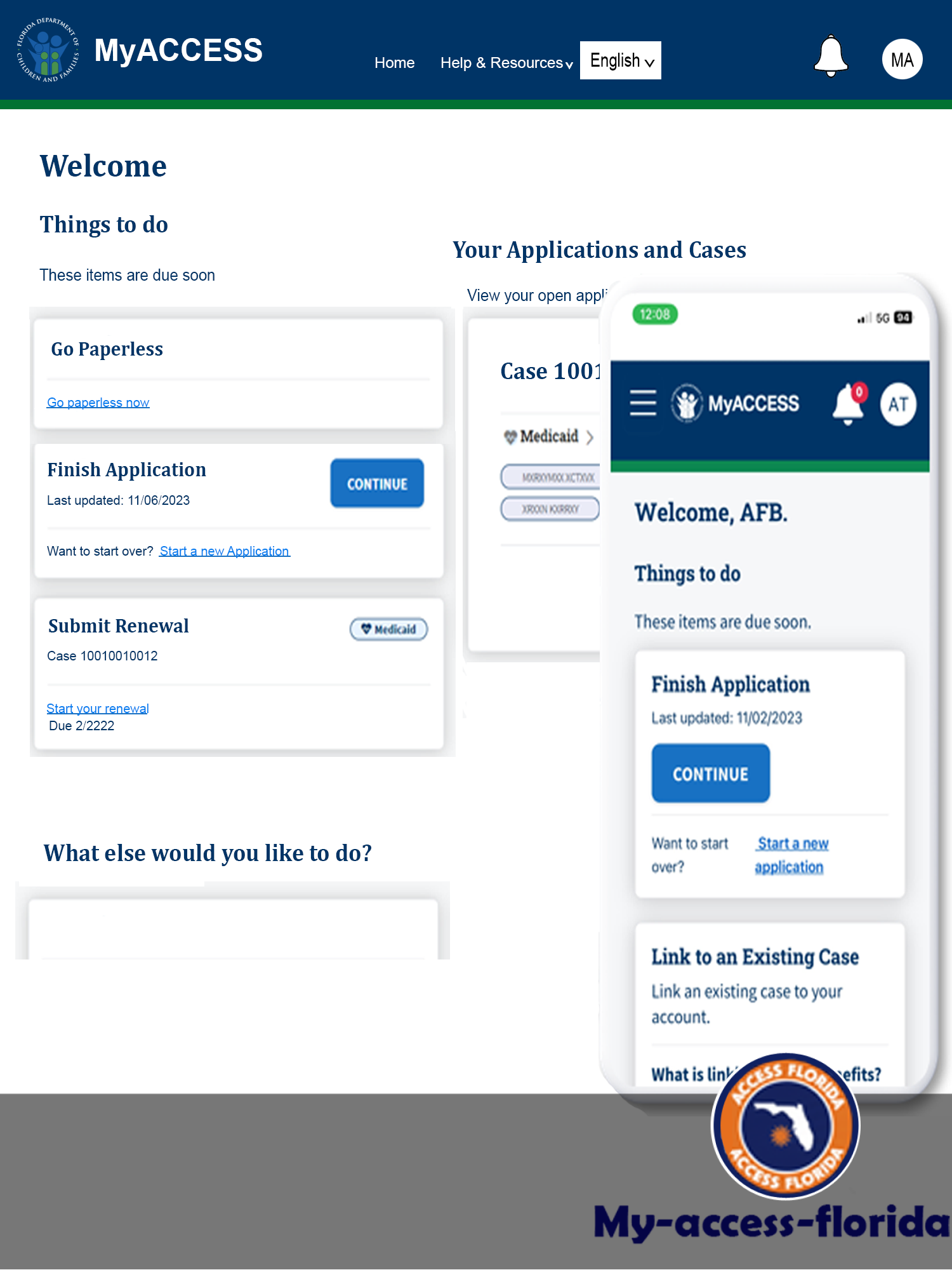
The My ACCESS Florida Message Center is a valuable tool that provides important information and updates regarding your benefits and assistance programs. In this guide, we will help you understand how to navigate and utilize the Message Center effectively. Stay informed and in control of your benefits by learning how to interpret and respond to messages in your My ACCESS Florida account. Let’s get started on understanding your Message Center!
Introduction to My ACCESS Florida Message Center
My ACCESS Florida Message Center is a convenient tool designed to help you stay informed about important updates and communications regarding your benefits and assistance programs. By using the Message Center, you can securely access messages from the Florida Department of Children and Families (DCF) anytime, anywhere. This feature provides a centralized platform for managing and responding to notifications related to your benefits.
1. Accessing the Message Center
Upon logging into your My ACCESS Florida account, you can easily navigate to the Message Center section to view any new messages or alerts. The user-friendly interface allows you to quickly access information regarding your benefits, program requirements, and any additional requests from DCF.
2. Communication Efficiency
Utilizing the Message Center streamlines the communication process between you and DCF, reducing the need for traditional mail or phone calls. This digital platform ensures that you receive timely updates and can respond promptly to any inquiries or requests for information, ultimately helping you maintain compliance with program guidelines.

How to Access Your Messages on My ACCESS Florida
Accessing your messages on My ACCESS Florida is a straightforward process that ensures you stay informed about important updates regarding your benefits. To check your messages, log in to your My ACCESS Florida account and navigate to the Message Center section. Here, you can view notifications, alerts, and messages related to your benefits, such as application status updates, renewal reminders, and important announcements.
Once you are in the Message Center, you can click on individual messages to read the full details, take necessary actions, or respond if required. It is essential to regularly check your messages to avoid missing crucial information and to ensure a smooth experience with your benefits through the My ACCESS Florida platform.
Benefits of Using the Message Center
The Message Center in My ACCESS Florida offers numerous benefits to users seeking efficient communication and assistance. One key advantage is the convenience of having all important notifications and messages in one centralized location. This streamlines the process of staying informed about updates, requirements, and other essential information related to your benefits. By utilizing the Message Center, users can ensure they never miss a crucial message or deadline, leading to smoother interactions with the system and quicker resolution of issues.
Furthermore, the Message Center provides a secure platform for confidential communication between users and the ACCESS Florida program. This added layer of privacy safeguards sensitive information and ensures that personal details remain protected. Additionally, the Message Center allows for easy tracking of past communications, enabling users to reference previous messages and correspondence as needed. Overall, leveraging the benefits of the Message Center enhances the overall user experience and promotes efficient management of benefits within the My ACCESS Florida system.
Troubleshooting Common Issues with My ACCESS Florida Messages
Unable to Access Messages
If you are having trouble accessing your messages on My ACCESS Florida, ensure that you are logged into your account with the correct credentials. Double-check your username and password to make sure they are entered correctly. If you continue to experience issues, try clearing your browser cache and cookies or accessing the platform from a different browser.
Error Messages or Glitches
If you encounter error messages or glitches while using the Message Center, try refreshing the page or logging out and back in to see if the issue resolves itself. Additionally, make sure that your internet connection is stable and that you are using a compatible browser for optimal performance. If the problem persists, reach out to the My ACCESS Florida support team for further assistance.

Tips for Efficiently Managing Your Messages
Managing your messages effectively on My ACCESS Florida Message Center is crucial for staying informed about important updates regarding your benefits. Here are some tips to help you streamline your message management:
1. Regularly Check Your Messages
Make it a habit to check your messages on a regular basis to stay up-to-date on any new information or requests from the Florida Department of Children and Families. By checking your messages frequently, you can ensure that you don’t miss any important updates or notifications.
2. Organize Your Messages
Consider organizing your messages into folders or categories based on their importance or topic. This can help you easily locate specific messages when needed and avoid clutter in your message inbox. By keeping your messages organized, you can efficiently manage your communication with the My ACCESS Florida system.
Understanding Notification Preferences in My ACCESS Florida
Notification preferences in My ACCESS Florida allow you to customize how you receive alerts about new messages in your Message Center. By setting up your preferences, you can choose to be notified via email, text message, or both whenever there is important information waiting for you. This feature ensures that you never miss any updates or notifications from the system.
Setting Up Notification Preferences
When you log in to your My ACCESS Florida account, navigate to the Message Center section. From there, you can access the Notification Preferences tab where you can select your preferred method of receiving notifications. You can also choose the frequency of notifications, such as receiving them immediately or in a daily summary.
Frequently Asked Questions about the Message Center
What is the Message Center in My ACCESS Florida?
The Message Center in My ACCESS Florida is an online platform where users can securely receive and send messages related to their benefits, applications, and account information. It serves as a convenient and efficient communication tool between users and the Florida Department of Children and Families.
How do I know when I have a new message?
When you have a new message in the Message Center, you will receive a notification either via email or text message, depending on your preferred notification settings. You can also log in to your My ACCESS Florida account and check the Message Center tab for any unread messages.
Can I reply to messages in the Message Center?
Yes, you can reply to messages within the Message Center interface. Simply select the message you want to respond to and click on the reply button. This feature allows for seamless communication between users and the department, ensuring clarity and quick resolution of any inquiries or issues.